> ## Documentation Index
> Fetch the complete documentation index at: https://docs.useangie.com/llms.txt
> Use this file to discover all available pages before exploring further.
# Dues & fees
> Define fees and assign them to members
Dues are the fees your association charges — annual membership dues, one-off levies, event fees billed separately from registration.
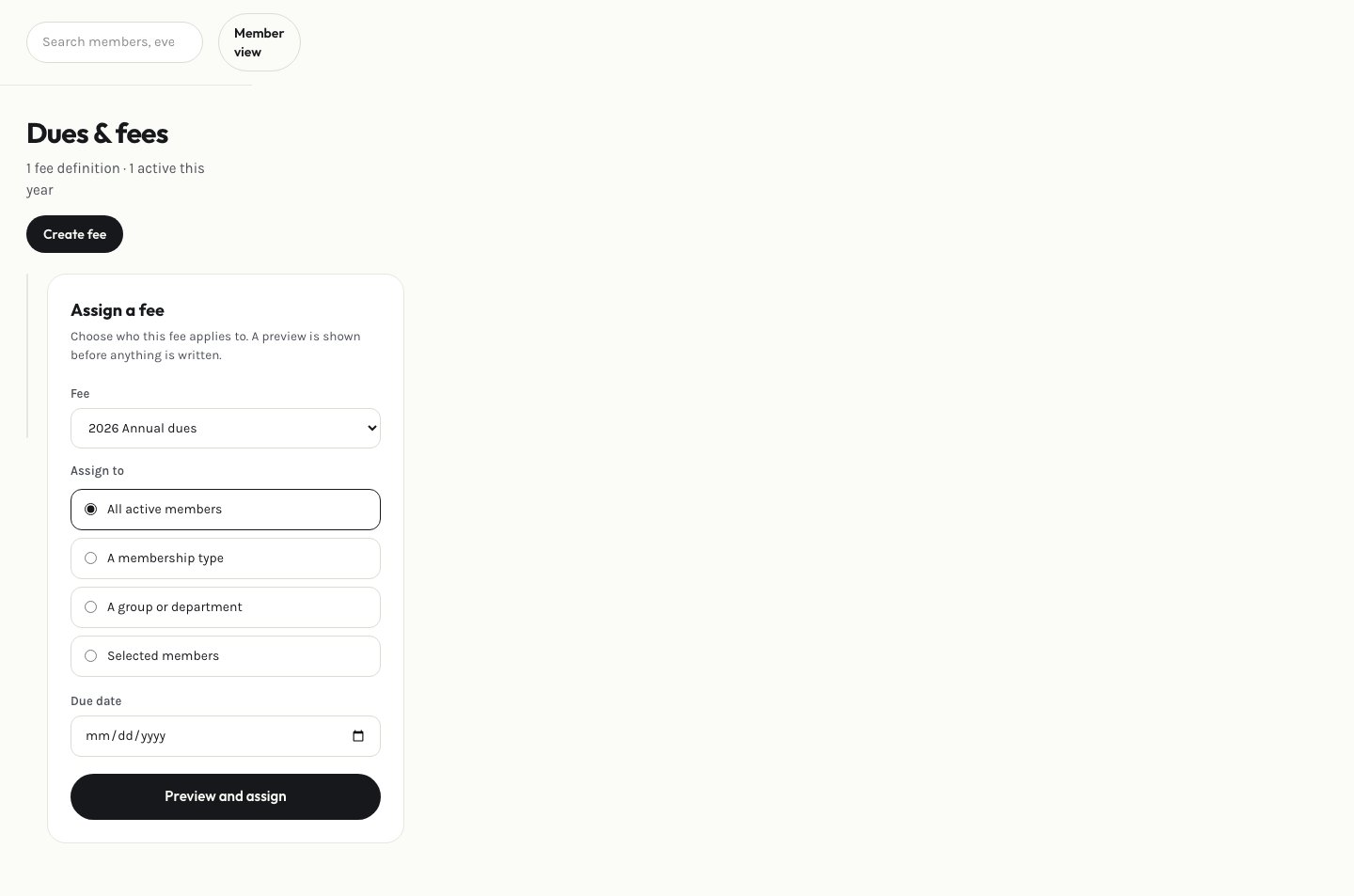 Select **Add fee**, name it, and set the amount.
Use **Assign** to preview who the fee will apply to (all members, a specific group, or a membership type) before committing — the preview step means you see exactly who gets billed before anything actually happens.
If a specific member shouldn't owe a fee they were assigned, waive it from their assignment.
Members pay what they're assigned from their own [Dues & payments](/member-guide/dues-and-payments) page.
This documentation is built and hosted on [Mintlify](https://mintlify.com), a developer documentation platform.
Select **Add fee**, name it, and set the amount.
Use **Assign** to preview who the fee will apply to (all members, a specific group, or a membership type) before committing — the preview step means you see exactly who gets billed before anything actually happens.
If a specific member shouldn't owe a fee they were assigned, waive it from their assignment.
Members pay what they're assigned from their own [Dues & payments](/member-guide/dues-and-payments) page.
This documentation is built and hosted on [Mintlify](https://mintlify.com), a developer documentation platform.