> ## Documentation Index
> Fetch the complete documentation index at: https://docs.useangie.com/llms.txt
> Use this file to discover all available pages before exploring further.
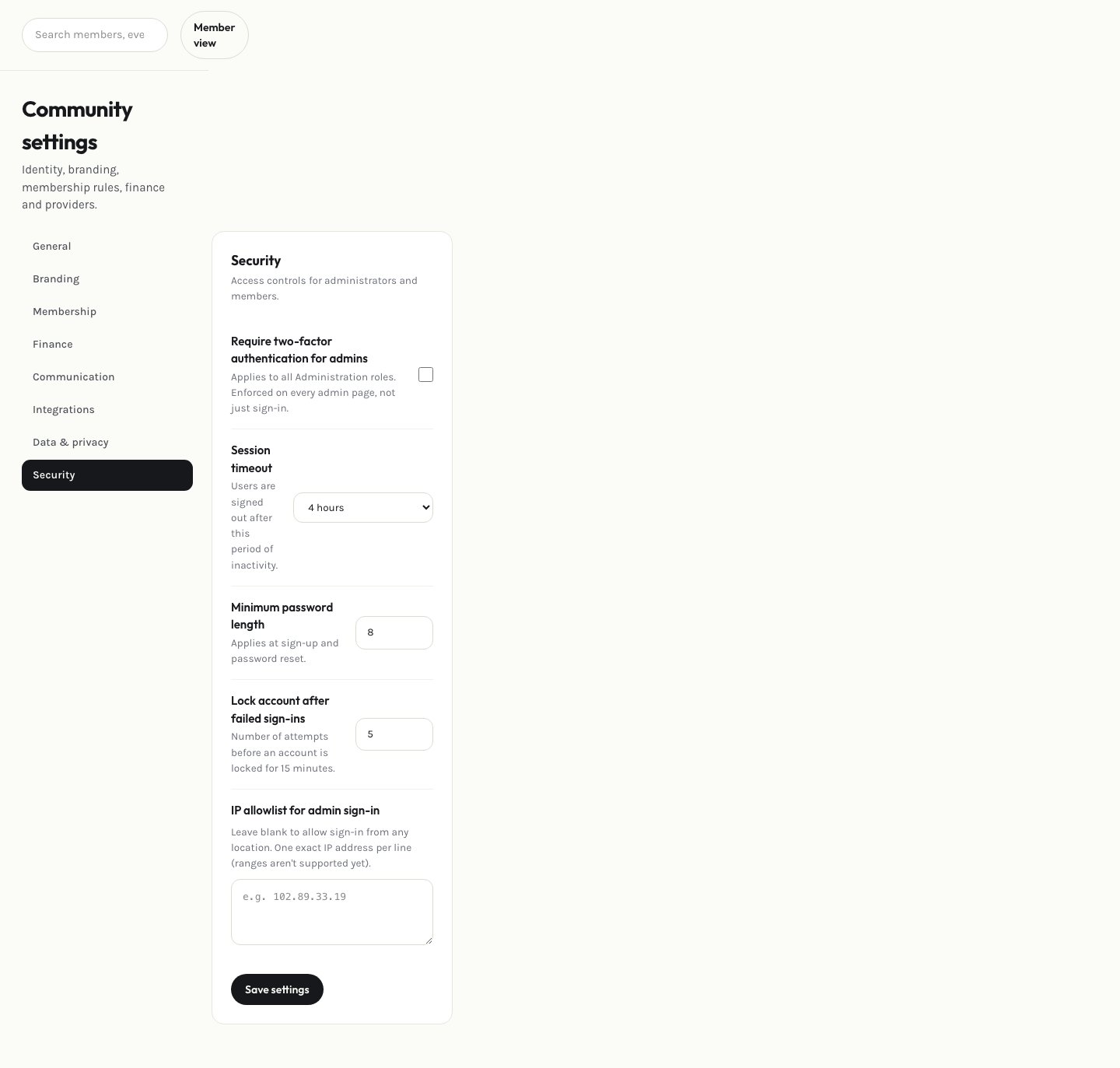
# Security settings
> Session timeout, minimum password length, and your own account security
Set association-wide security rules: how long an inactive admin session stays logged in, and the minimum password length required for members.
 ## Your own password and 2FA
From this page you can also change your own password and enable or disable two-factor authentication on your own account, the same way a [member](/member-guide/settings) does on theirs. You'll get an email confirming either change.
If your association's platform-wide 2FA requirement is on, you'll be required to set up 2FA the next time you log in — it isn't optional at that point.
This documentation is built and hosted on [Mintlify](https://mintlify.com), a developer documentation platform.
## Your own password and 2FA
From this page you can also change your own password and enable or disable two-factor authentication on your own account, the same way a [member](/member-guide/settings) does on theirs. You'll get an email confirming either change.
If your association's platform-wide 2FA requirement is on, you'll be required to set up 2FA the next time you log in — it isn't optional at that point.
This documentation is built and hosted on [Mintlify](https://mintlify.com), a developer documentation platform.